We offer a 5K Email Blast to Any Demographic! Get it here.     -     Let's blog for you $45/blog

How to Enable or Disable PHP Extensions Using the CloudLinux Selector in cPanel Print

  • 0

You can use CloudLinux Selector to enable or disable available PHP extensions in cPanel .

1. Log in to your cPanel account.

2. In the Software section, click on Select PHP Version.

A great  example: cPanel image from our Omaha web design and SEO company

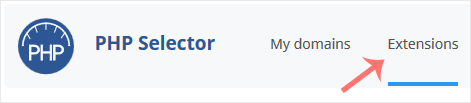
3. Click on the Extensions menu.

A great  example: cPanel image from our Omaha web design and SEO company

Note: If the Extensions page shows an error related to the native PHP version, change it to a non-native version first.

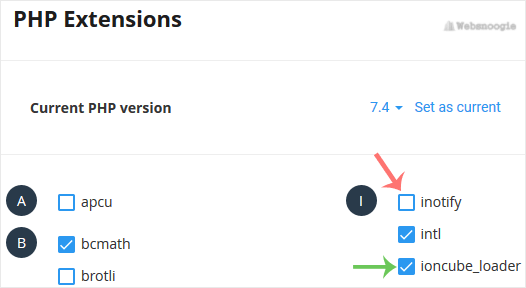
4. To enable the extension, checkmark the option you want to enable. Uncheck it if you want to disable it.

A great  example: cPanel image from our Omaha web design and SEO company


Was this answer helpful?

« Back