
How to Change the PHP Version via CloudLinux Selector in cPanel
You can use CloudLinux's Select PHP Version to change your website's PHP Version. CloudLinux provides various PHP Versions to choose from.
1. Log in to your cPanel account.
2. In the Software section, click on Select PHP Version.

3. To the right side of the Current PHP version, click on the drop-down menu and choose the version you want to use.
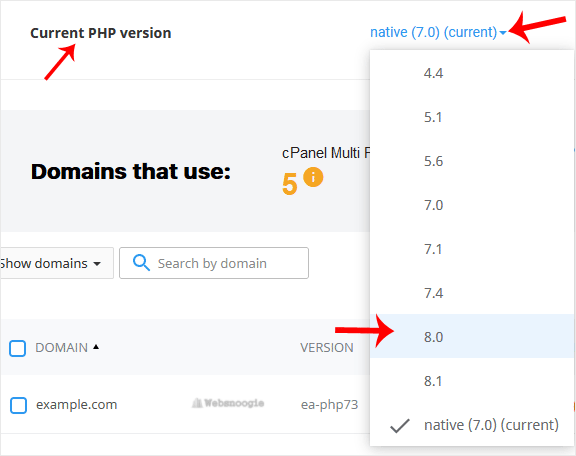
4. Click Set as current.
