
We offer a 5K Email Blast to Any Demographic! Get it here.     -     Let's blog for you $45/blog

How to Add a User to a Database and Grant Privileges Print

  • Database
  • 0

1. Log in to your cPanel account.

2. In the Databases section, click on MySQL Databases.

Image of using an SQL database from your Omaha SEO and web hosting company

3. Scroll down to the end of the page and under Add User to Database. Select a user from the drop-down list, and choose a Database from the list.

4. Click on Add.
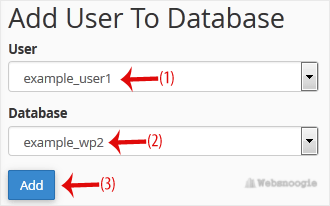
Image of using an SQL database from your Omaha SEO and web hosting company

5. On Manage User Privileges. Mark the box ALL PRIVILEGES and click on Make Changes.
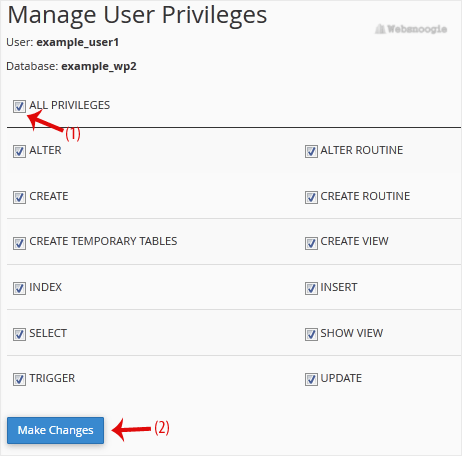

Image of using an SQL database from your Omaha SEO and web hosting company


Was this answer helpful?

« Back