
Based in Omaha, NE, USA

How to Reply to Email in Mozilla Thunderbird

You can reply to an email using Mozilla Thunderbird instead of the cPanel Webmail.


1. Open Mozilla Thunderbird.
Here is an image of email from our Omaha web design and web hosting company


2. Click on the email you wish to open twice.
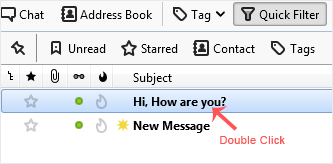
Here is an image of email from our Omaha web design and web hosting company


3. In the top-bottom area, click on Reply.
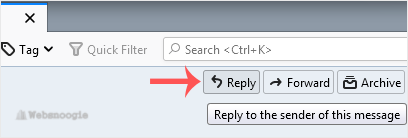
Here is an image of email from our Omaha web design and web hosting company


4. Type your message in the message box and click on Send.
Here is an image of email from our Omaha web design and web hosting company

Related articles