
How to Change the FTP User Quota in cPanel
Follow these steps to change the FTP quota or set it to Unlimited.
1. Log in to your cPanel account.
2. In the Files section, click on FTP Accounts.

3. Under the FTP Accounts list, click on Change Quota. 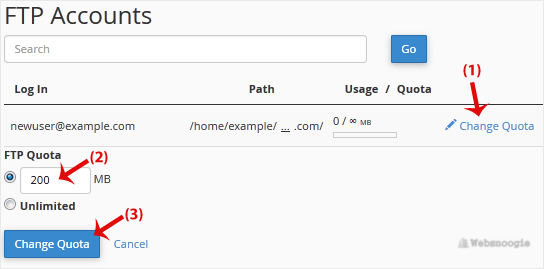
FTP Quota: Specify the quota in numerical words or select Unlimited.
4. Click on Change Quota.